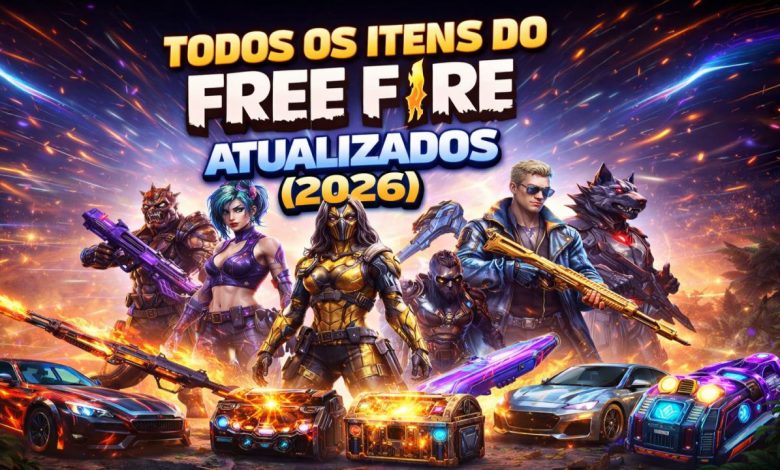
Explore all Free Fire items updated for 2026 in a complete and easy-to-search catalog. This page includes weapon skins, outfits, bundles, emotes, characters, pets, backpacks, parachutes and many other cosmetic items available in the game.
The tool lets you search by item name or ID, filter by category and OB version, and sort results by popularity, date, name or item number. This makes it easier to find a specific cosmetic or discover rare and recently added items.
Catalog update: the tool was updated for Free Fire version OB54 on June 28, 2026.
Complete Free Fire item list
Use the filters below to browse the Free Fire item list. The catalog covers several categories and displays the name, image, popularity and other available details for each item.
How to search for Free Fire items
The search tool is designed to help you find items quickly. You can combine the search field with category, OB version and sorting filters.
Search by name or ID
Enter the full item name or part of it. You can also search by ID when you know the registered number. Examples include:
- Angelical Pants
- Old Man’s Beard
- Booyah Emote
- MP40
- Rare bundle
- Item ID
Filter by category
The category filter separates items by type so unrelated results do not appear. Available groups may include characters, outfits, bundles, collections, pets and other cosmetics.
Filter by OB version
Use the version selector to display items associated with a specific update, such as OB40, OB50 or OB54. Choose “All versions” to keep the entire catalog visible.
Sort the results
Sorting supports different ways to explore the database. You can start with the most liked items, recently added items, alphabetical order or item ID.
What types of Free Fire items are in the catalog?
Free Fire includes a wide range of cosmetics used to customize characters, weapons, profiles and other visual elements. These are the main categories available in the catalog.
Weapon skins
Weapon skins change the appearance of models such as the MP40, M1887, AK, SCAR and many others. Some include special visual effects and may only be available during limited events.
Outfits and accessories
This category includes shirts, pants, shoes, masks, hairstyles, hats and accessories used to create custom combinations. Many pieces are also part of complete bundles.
Bundles
Bundles combine several pieces under one visual theme. They are often sought after by collectors and may return through events, special stores or draws.
Emotes and animations
Emotes let players perform dances, gestures and animations during matches or in the lobby. Some are widely available, while others are tied to collaborations, events or limited rewards.
Characters and pets
Characters and pets are part of a player’s collection and may have their own abilities or features. The catalog helps users find their names and review the available information.
Backpacks, parachutes and collections
The database also includes backpacks, parachutes, surfboards, banners, avatars, loot boxes and other collectibles used to customize accounts and matches.
How to get items in Free Fire
The way an item is obtained depends on its availability. Some cosmetics appear in the store, while others are only released for a limited time. Common sources include:
- In-game events;
- Store offers and special sales;
- Royale draws;
- Incubators;
- Season passes and rewards;
- Official redeem codes;
- Collaborations and promotional campaigns.
An item being listed in the catalog does not necessarily mean that it is currently available. Many cosmetics return only during specific events or campaigns.
How to find rare Free Fire items
To look for rare items, combine the cosmetic name with its category and OB version. Sorting by popularity can also reveal the most desired items in the community. Older cosmetics, collaborations and limited rewards often attract more attention from collectors.
Frequently asked questions about Free Fire items
How many items are there in Free Fire?
The game has thousands of items across outfits, weapons, emotes, characters, pets, bundles and collections. The number continues to grow with new versions and events.
Does the list include old and new items?
Yes. The catalog includes items from different updates, covering older cosmetics and items added in the latest versions registered in the system.
Can I search for an item by ID?
Yes. Enter the number in the search field. When the ID exists in the database, the matching item will appear in the results.
Are all items still obtainable?
No. Some items are limited, belong to older events or remain unavailable for certain periods. They may return later depending on the game’s release schedule.
How can I find an item’s OB version?
When the information is registered, the version appears with the item and can be selected in the filter. Choose an OB version to display only items connected to that update.
Find any Free Fire item
Use the tool to search, compare and discover Free Fire items in seconds. The catalog is organized to help players and collectors find skins, outfits, emotes, bundles, weapons and other cosmetics from different versions.
Check back regularly for new items and updates added to the catalog.