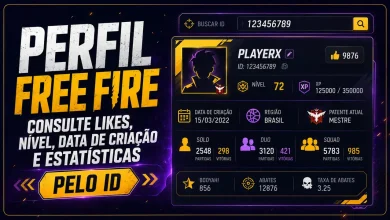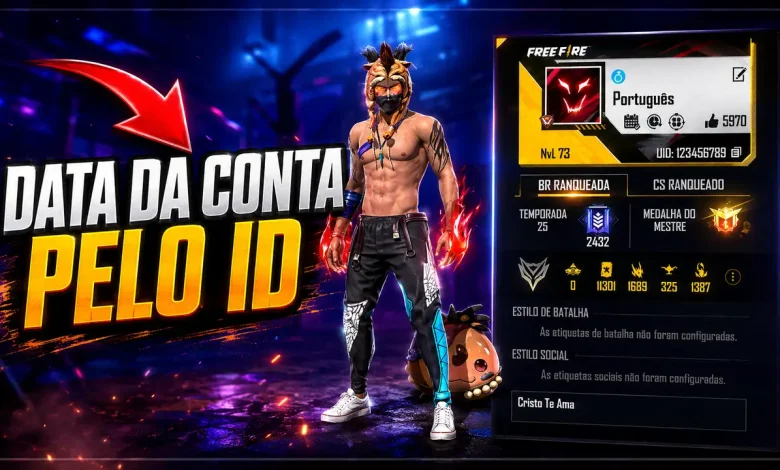
Want to know exactly when your Free Fire account was created? With your player ID, you can check the account creation date, see how many days the account has existed, discover its rarity score, and open the player’s full profile.
This is especially useful when you want to compare accounts with friends, confirm how long you have been playing, or find out whether your account can be considered old, rare, or recent. You do not need to enter a password, email address, or login information—only the public Free Fire ID.
Check Your Free Fire Account Creation Date by ID
Enter the player ID in the tool below. The system will locate the account, verify the profile, and display the creation date and time. It will also show the account age in days, its rarity percentage, the nickname, region, level, likes, and a link to the complete player profile.
Discover the account creation date
Enter the numeric player ID to check the Free Fire account.
Recently Checked Free Fire Accounts
Below you can see recently verified accounts, including their creation date, rarity, region, and a shortcut to the full player profile.
Recently checked accounts
See the latest profiles whose account creation date was verified.


How to Find Your Free Fire Player ID
Your player ID, also called a UID, is a unique number connected to your Free Fire account. Follow these steps to find it:
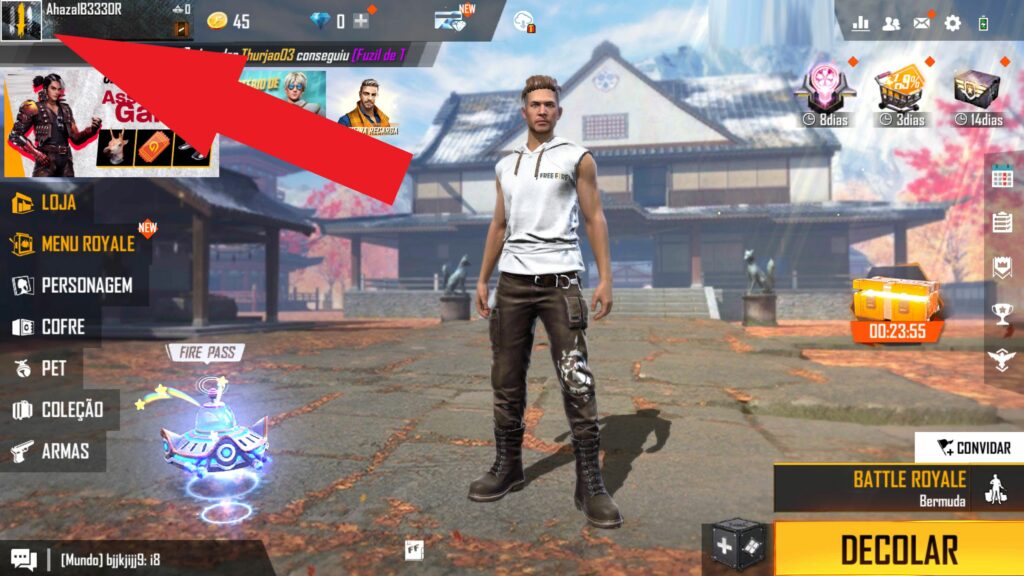
- Open Free Fire and tap your profile picture in the upper-left corner of the main screen.
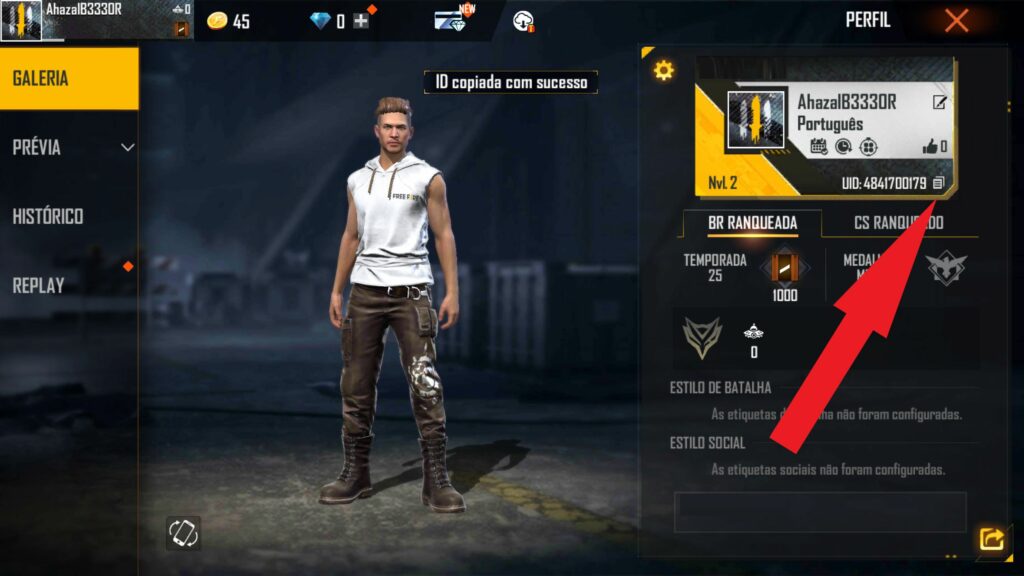
- Look for the numeric ID displayed on your profile page.
- Tap the copy icon next to the ID, then paste the number into the tool above.
What Information Does the Tool Show?
After the account is found, the result includes more than a simple date. You will see:
- Exact creation date and time: the day, month, year, and time associated with the account.
- Total account age: how many days have passed since the account was created.
- Rarity percentage: an estimate based on how old the account is compared with the earliest Free Fire accounts.
- Player information: nickname, ID, region, level, likes, avatar, and profile banner when available.
- Full profile link: a button that opens the player’s complete Free Fire profile.
What Does the Free Fire Account Rarity Mean?
The rarity percentage is an age-based indicator. In general, an account created closer to the early years of Free Fire receives a higher score. A newer account receives a lower score. This does not measure skill, rank, inventory value, or the number of rare skins owned by the player.
For example, an account with a rarity score above 90% is much older than most recently created accounts. The result may classify it as rare, very old, old, new, or recent, depending on its creation date.
Can Facebook Show the Free Fire Account Creation Date?
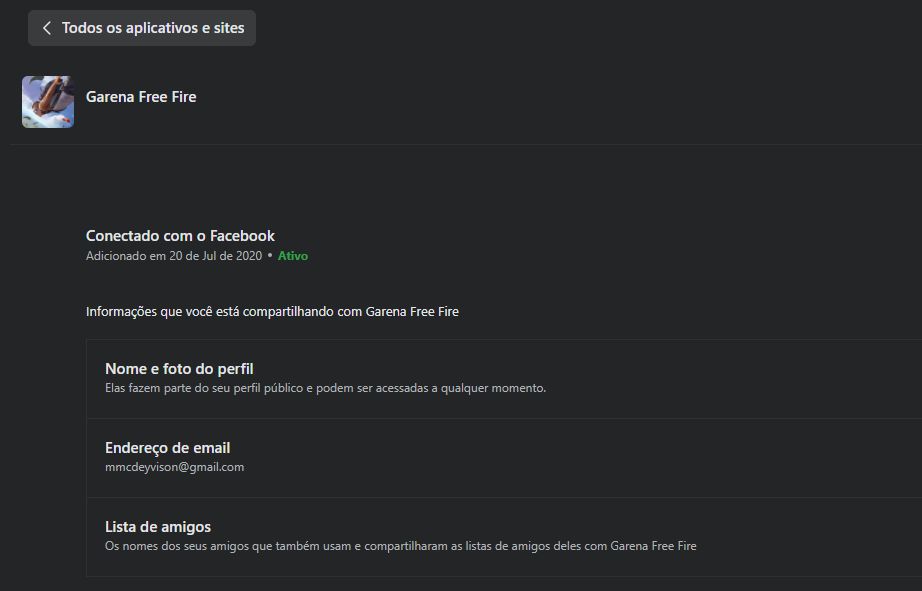
Facebook may show when Free Fire was connected to your Facebook account, but that is not always the same day the game account was created. This method can be useful only when the account was linked shortly after you started playing.
- Open Facebook and go to Settings and privacy.
- Open Apps and websites.
- Find Garena Free Fire and check the available connection details.
Is It Safe to Check an Account by ID?
Yes. A Free Fire player ID is public information used to identify an account. The checker does not ask for your password, email address, Facebook login, verification code, or access to the game account. Never share private login details with websites, apps, or other players.
Frequently Asked Questions
How can I check my Free Fire account creation date?
Copy your player ID from the Free Fire profile page, paste it into the checker, and wait for the account information to be verified. The result will show the creation date and time.
Do I need my password or email address?
No. The tool only uses the public player ID. Never enter your password, email login, Facebook password, or verification code into an account-date checker.
Can I check another player’s account?
Yes. You can check any valid public Free Fire ID, including a friend’s account, as long as the player can be found by the profile service.
Why does the check take a few seconds?
The tool verifies the profile and prepares the account information before displaying the result. A short processing delay is also used to reduce automated abuse and excessive requests.
Is the Facebook connection date always accurate?
No. Facebook usually shows when the game was linked to Facebook, not necessarily when the Free Fire account was first created.
Does a high rarity score mean the player owns rare items?
No. The rarity score shown here is based on account age. It does not confirm the presence of rare bundles, weapon skins, emotes, or other collectibles.
Final Thoughts
Checking your Free Fire account creation date is a quick way to learn how long you have been part of the game. With only the player ID, you can view the exact date, total account age, rarity percentage, and a summary of the player profile.
Use the tool whenever you want to compare accounts, revisit your history in Free Fire, or find out which player in your group has the oldest account.