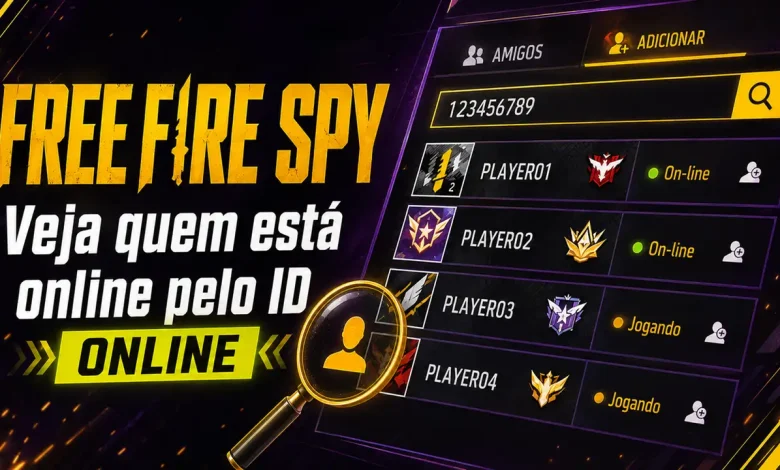
Want to know if a Free Fire player is online without adding them as a friend? With Free Fire Spy, you can check an account’s current status using only the player’s ID.
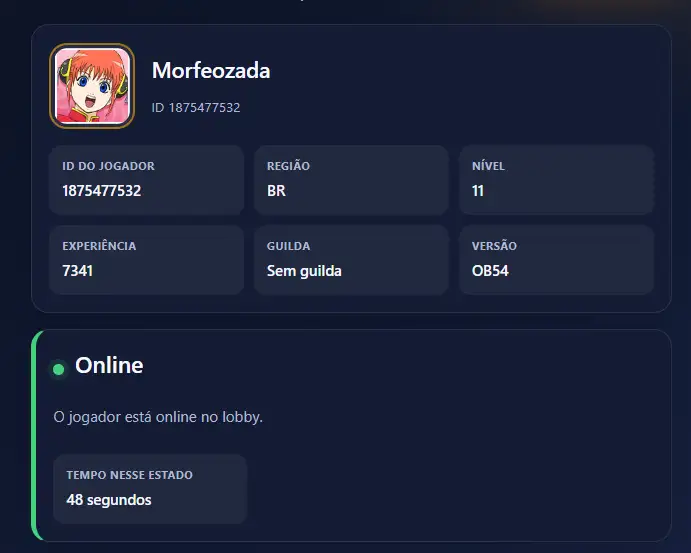
The tool finds the player’s profile and may display details such as nickname, region, level, guild, and current online status. You do not need to provide a password, email address, or any other login information.
How to check if a Free Fire player is online
To use Free Fire Spy, all you need is the account’s numeric player ID, also known as a Free Fire UID. Follow these steps:
- Enter the player’s ID in the tool.
- Click the Check Online button.
- Wait while the player’s profile is located.
- See whether the player is offline, online, creating or joining a team, or currently in a match.
Free Fire Spy: check a player by ID
Enter the player’s numeric ID in the tool below:
Find out whether the player is online
Enter the numeric Free Fire account ID.
The lookup may take a few seconds. The system first searches for the profile across the available regions. It then runs a new check to identify the account’s current status.
What information does Free Fire Spy show?
Depending on the data available for the account, the Free Fire player ID checker may display:
- player ID or UID;
- nickname;
- account region;
- level and experience;
- guild name;
- game version;
- profile image;
- online or offline status;
- game mode;
- match map;
- team leader’s ID;
- estimated time in the current status.
Some accounts may return incomplete information. In those cases, Free Fire Spy will show only the data currently available.
What does each Free Fire player status mean?
Player offline
The player was not detected among the connected accounts when the lookup was performed. This usually means that the player is not currently in the game.
Player online
The account is connected to Free Fire, but the player may be in the lobby, browsing menus, or waiting to start a match.
Creating a team
The player is online and has started creating a team to invite or wait for other players.
In a team
The player has joined a team created by another account. When available, the tool may also display the team leader’s player ID.
In a match
The player is currently participating in a match. Depending on the available response, the tool may also show the map and game mode.
Do I need the account password?
No. Free Fire Spy uses only the player’s public ID.
Never enter a password, verification code, email address, phone number, or other login details into a player lookup tool. To use this page, you only need the account’s numeric player ID.
How to find a player’s ID in Free Fire
You can find the Free Fire ID or UID on the player’s in-game profile.
Open the account profile and look for the number displayed near the nickname. Copy the ID, then paste it into the Free Fire Spy search field.
Enter numbers only. Spaces, letters, and special characters may prevent the lookup from working.
Which Free Fire regions are supported?
The tool currently searches for accounts in the following regions:
- Brazil;
- Singapore;
- India.
The region is detected automatically during the search, so you do not need to select a server before starting the lookup.
Is the Free Fire online status updated in real time?
Each lookup starts a new check of the player’s status. However, there may be a short delay between a change inside the game and the information received by the tool.
If the player has just opened or closed Free Fire, wait a few seconds and run another search.
Frequently asked questions about Free Fire Spy
What is Free Fire Spy?
Free Fire Spy is a tool that checks player information using an account ID. It may display the profile and indicate whether the player is offline, online, creating or joining a team, or participating in a match.
Do I need to be friends with the player?
No. The lookup uses only the account’s numeric player ID.
Can Free Fire Spy reveal a player’s password?
No. The tool does not access, display, or recover passwords. It uses only the public player ID entered in the form.
Why was the account not found?
Check that you entered the ID correctly. The account may also belong to a region that is not yet supported or may be temporarily unavailable for lookup.
Why did a default avatar appear?
Some accounts may not have a matching profile image in the data source used by the tool. When this happens, the system displays a default avatar.
Can I check the same player again?
Yes. You can run another lookup whenever you want to see whether the account’s status has changed.
Is Free Fire Spy free?
Yes. You can use this page for free and check a player using only their ID.
Check who is online now
With Free Fire Spy, you can quickly check a player using only the account ID.
Enter the number correctly, wait for the profile to be located, and view the status available at that moment. This makes it easier to see whether your friends, guild members, or teammates are ready to play.